| Chapter 23. Search in Documentation | ||
|---|---|---|
 |  | |
| Chapter 23. Search in Documentation | ||
|---|---|---|
| | | |
With the Search in Documentation View, the online documentation of MeVisLab can be searched (including all Doxygen references, all DocBook books, the OpenInventor reference, Python, and NumPy). The search starts immediately with each entered key (incremental search).
![[Note]](images/note.png) | Note |
|---|---|
As the index is read upon calling the search for the first time, the first search might take longer than expected. Further searches are fast. |
Click the entry to open the linked documentation in a browser window.
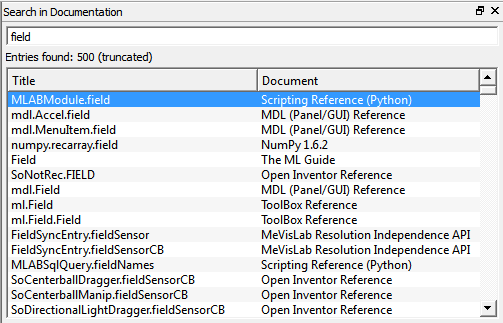
The search works case-insensitive. However, correct spelling is preferred so different best match results will be received for “field” and “Field”.
The search is index-based. When using a local repository, the documentation needs to be built locally to generate the index databases.
| Note |
|---|---|
Selections in the Search in Documentation View are persistent and set as default the next time the View is used. |
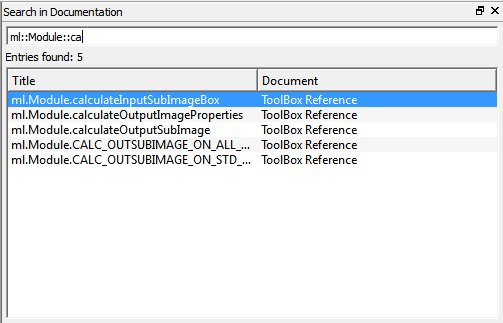
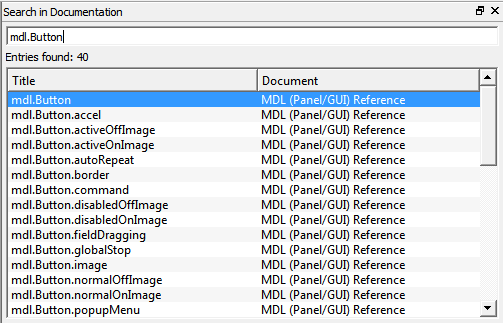
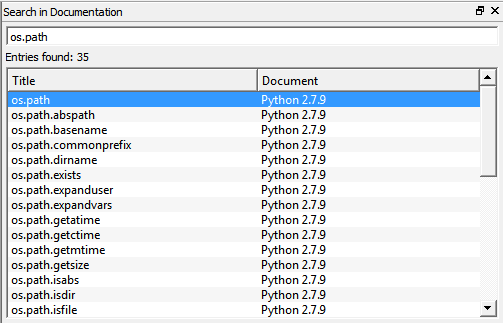
See the following example screenshots for some possible search terms:
© 2023 MeVis Medical Solutions AG
| | | |
| Chapter 22. Search in Network |  | Chapter 24. Snippets List |